Core Web Vitals Explained: How Page Speed Affects Rankings and Conversions in South Africa
August 5, 2026
Web Development Company Services: From Custom Websites to Web Applications
August 20, 2026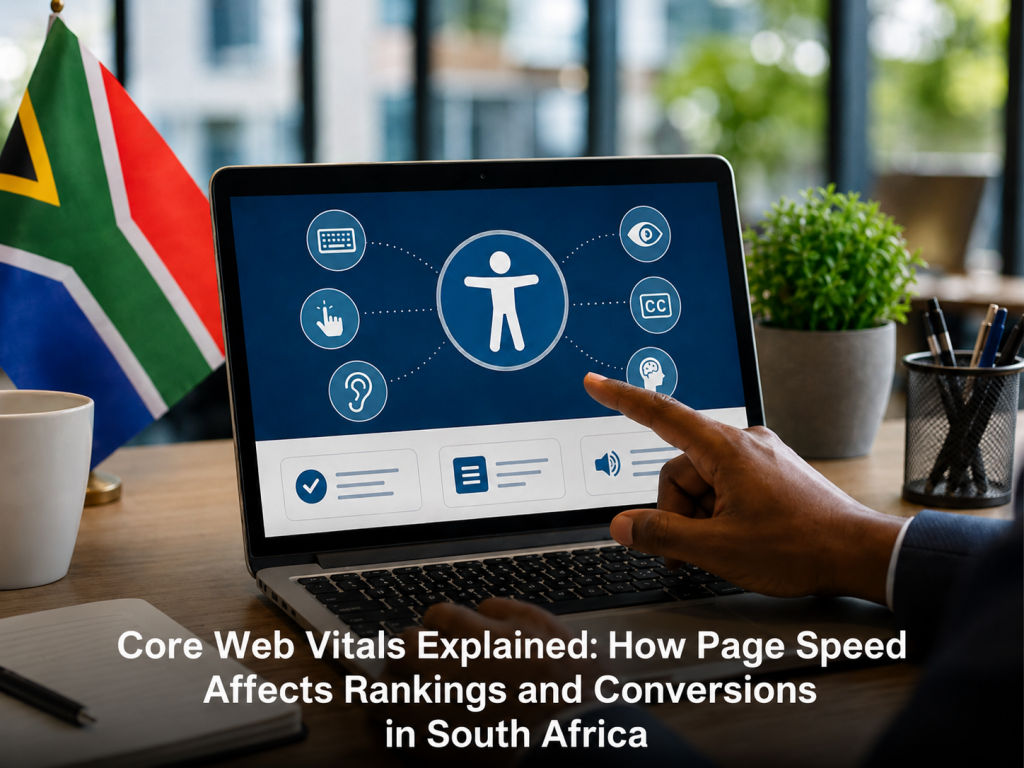

Website Accessibility (WCAG) Guide for South African Businesses in 2026
Website accessibility means designing a site so people with visual, auditory, motor, or cognitive disabilities can use it fully. It's guided by the WCAG 2.2 standard and increasingly required for businesses serving government or enterprise clients in South Africa.
If your business has fielded an accessibility complaint, is bidding on a government tender, or has been asked by a corporate client to prove your site meets accessibility standards, this guide breaks down exactly what's expected and how to get there.
What Is Website Accessibility and Why It Matters
Website accessibility is the practice of building digital experiences that work for everyone, including people who use screen readers, navigate by keyboard only, have low vision, or process information differently due to cognitive disabilities. In practice, this means your images have alt text, your colour choices don't rely on contrast alone to convey meaning, your forms are labelled correctly, and your site can be operated without a mouse.
For South African businesses, accessibility has moved from a "nice to have" to a competitive requirement. Government tenders increasingly specify WCAG compliance as a baseline. Larger corporates now audit vendor websites as part of B-BBEE scorecards and ESG reporting. And beyond compliance, an accessible site simply reaches more people. According to the World Health Organization, roughly 16% of the global population lives with some form of disability, a segment of your audience that a poorly built website silently excludes.
WCAG 2.2 Explained in Plain Language
WCAG (Web Content Accessibility Guidelines) is the internationally recognised standard for web accessibility, maintained by the W3C. Version 2.2 is the current release, and it organises every guideline under four core principles, easy to remember by the acronym POUR.
Perceivable, Operable, Understandable, Robust (POUR principles)
Perceivable means users must be able to perceive the information being presented, whether through sight, sound, or touch. This covers alt text for images, captions for video, and sufficient colour contrast.
Operable means users must be able to operate the interface. Every function needs to work with a keyboard alone, not just a mouse, and there should be no time limits that lock users out before they've finished a task.
Understandable means content and navigation need to be predictable and written in plain language. Error messages should explain what went wrong and how to fix it, not just flash red.
Robust means the site needs to work reliably across different browsers, devices, and assistive technologies like screen readers, both now and as those technologies evolve.
WCAG 2.2 sets out three conformance levels: A (minimum), AA (the level most legal and tender requirements reference), and AAA (the highest, rarely required in full). When someone says a site is "WCAG compliant," they almost always mean WCAG 2.2 Level AA.
Is Website Accessibility a Legal Requirement in South Africa?
This is the question most people land on this page to answer, so here's the direct version: South Africa does not currently have a single, dedicated law that mandates WCAG compliance for all private websites the way the ADA has been interpreted in the United States. But that doesn't mean there's no legal exposure or pressure.
The Promotion of Equality and Prevention of Unfair Discrimination Act (PEPUDA) prohibits unfair discrimination on the grounds of disability, and a website that's inaccessible to disabled users could arguably fall foul of that principle, though this hasn't been tested extensively in South African courts specifically around websites. The Employment Equity Act places obligations on employers regarding reasonable accommodation for employees with disabilities, which extends to internal digital tools and, in some interpretations, to public-facing sites for larger employers. Government departments and many public entities are expected to follow accessibility standards as part of broader digital inclusion policy, and this increasingly filters down into tender specifications that explicitly require WCAG 2.2 AA conformance from bidders.
So the honest answer is: there's no single accessibility law forcing every SA business to comply today, but the legal and commercial pressure is building from multiple directions at once, tenders, B-BBEE and ESG audits, PEPUDA exposure, and the reputational risk of an access complaint. Treating WCAG 2.2 AA as your target now, rather than waiting for a court case or a lost tender to force the issue, is the safer position.
Practical Accessibility Fixes for Any Website
You don't need a full rebuild to make meaningful progress. Most of the highest-impact fixes are things a developer can implement in days, not months.
Alt text and image descriptions
Every meaningful image needs alt text that describes what it shows or what it does, so screen reader users get the same information sighted users get from looking at it. Decorative images (icons, dividers, background flourishes) should have empty alt attributes so screen readers skip over them instead of reading out clutter.
Colour contrast and font sizing
WCAG 2.2 AA requires a minimum contrast ratio of 4.5:1 for normal text against its background, and 3:1 for large text. Free tools like the WebAIM Contrast Checker will tell you instantly whether your brand colours pass. Font sizes should also be large enough to read comfortably, and your site should support browser zoom up to 200% without breaking the layout.
Keyboard navigation
Try tabbing through your entire site without touching your mouse. Can you reach every link, button, and form field? Is there always a visible focus indicator showing where you are? If you hit a dead end or lose track of your position, a keyboard-only user or someone using a switch device will hit the same wall.
Accessibility and SEO: Why They Overlap
Accessibility and SEO share more technical DNA than most business owners realise. Descriptive alt text helps screen readers and helps Google understand your images. Clean heading structure (proper use of H1, H2, H3) helps assistive technology users navigate and helps search engines parse your page hierarchy. Fast, keyboard-navigable, well-structured pages tend to score better on Core Web Vitals, which is itself a ranking factor, and the same clean semantic HTML that makes a site accessible also makes it easier for AI-driven search tools to extract and summarise your content accurately.
In short, fixing accessibility issues rarely costs you anything on the SEO side. Most of the time it's a direct win on both fronts.
Ready to Find Out Where Your Site Stands?
If you're bidding on a tender that requires WCAG compliance, fielding complaints, or just want to know where your current site falls short, we offer an accessibility audit as part of our website review consultation. We'll walk through your site against WCAG 2.2 AA and give you a clear, prioritised list of what to fix first.
Read more about our web design services, or if you're weighing up how a stronger design and experience affects your bottom line, our breakdown of UX vs UI and conversions is a useful next read. And if accessibility has you reconsidering your site's foundations altogether, our guide comparing custom development against template-based builds covers why the underlying build matters just as much as the design on top.