
Website Migration SEO: How to Move Without Losing Rankings
October 16, 2026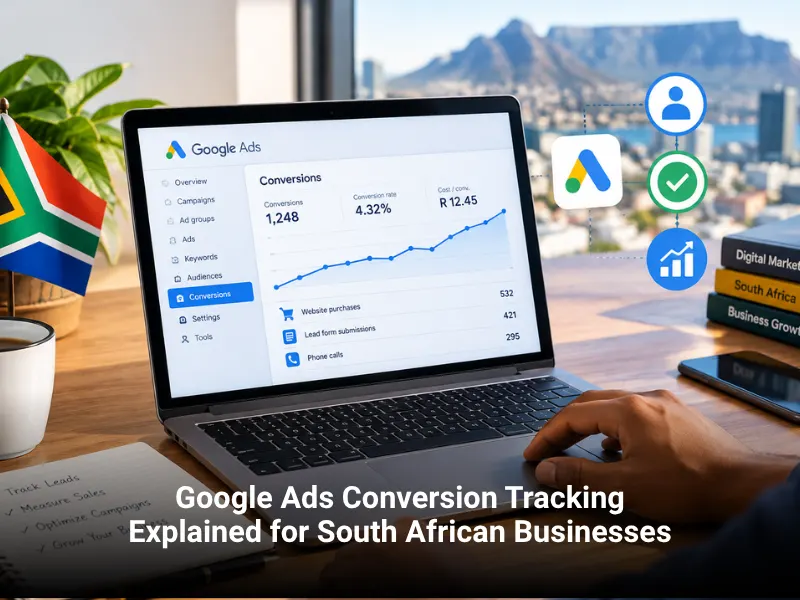

Google Ads Conversion Tracking Explained for South African Businesses
Google Ads conversion tracking is a free feature that records what people do after they click your ad, such as submitting a form, calling your business, tapping a WhatsApp button, or buying a product. It shows which campaigns, keywords, and ads produce real enquiries and sales, so you can put your brand where it actually works.
Without it, you are judging your ads by clicks and impressions. Clicks cost money whether or not they lead anywhere. With tracking, you can see that a keyword costing R25 a click brought in three paying customers, while a cheaper keyword brought in none. That difference separates a profitable ad account from an expensive guess.
This guide explains how conversion tracking works, how to set it up properly, which settings change your numbers, and how to fix the problems most South African advertisers run into. You do not need to be a developer to follow it.
Key takeaways
- A conversion is any valuable action a visitor takes, such as a lead form, a call, a WhatsApp click, or a purchase.
- Set up tracking before you increase your ad budget, because Google’s bidding tools learn from your conversion data.
- Track the actions that make you money, not every click on the page.
- Test every conversion action after setup, and again after any website change.
- Handle customer data carefully and keep your privacy policy aligned with POPIA.
What Is Google Ads Conversion Tracking?
Google Ads conversion tracking connects an action on your website, a phone call, or a record in your CRM back to the ad click that started it. When someone clicks your ad and later completes an action you care about, Google Ads records a conversion against that campaign, ad group, keyword, and ad.
Three parts work together:
- A conversion action. This is the definition inside Google Ads of what you want to count, such as “Quote request form”.
- A tag. This is a small piece of code, usually the Google tag, that sits on your website and sends a signal when the action happens.
- A trigger. This is the rule that tells the tag when to fire, for example when a visitor lands on a thank you page or clicks a button.
When all three are set up correctly, your account shows columns such as conversions, cost per conversion, and conversion value. Those numbers feed your reporting and, just as importantly, Google’s automated bidding.
Why Conversion Tracking Matters for South African Businesses
Budgets are watched closely. Many South African businesses run Google Ads on a fixed monthly budget that has to justify itself. You cannot afford to pay for clicks from people who never contact you.
Customers contact you in different ways. A lead might fill in a form, phone your office, or tap a WhatsApp button. If you only track forms, you will undercount results and may switch off campaigns that quietly bring in calls.
Smart Bidding needs data. Strategies such as Maximize conversions and Target CPA depend on a steady stream of accurate conversion signals. If the data is missing or wrong, the system optimises toward the wrong goal.
Competition is local and specific. Whether you serve Johannesburg, Cape Town, Durban, or a smaller town, you are usually bidding against a handful of nearby competitors. Knowing your cost per lead tells you how aggressively you can bid and still make a profit.
If you would rather have a team handle this, Best Web Design is a Johannesburg agency that offers web design, SEO, and pay-per-click services together, so your ads, website, and tracking are planned as one system.
What Can You Track With Google Ads?
Website actions
These are the most common conversions: contact form submissions, quote requests, newsletter sign ups, bookings, and purchases. For online stores, tracking purchases with the real order value is the foundation of return on ad spend (ROAS) reporting. A well-built e-commerce website makes this much easier to implement correctly.
Phone calls
Google Ads can track calls made directly from your ad, calls made after someone visits your site using a Google forwarding number, and taps on a phone number on a mobile page. You can set a minimum call length, such as 60 seconds, so missed calls and wrong numbers are not counted as leads.
WhatsApp and click-to-chat
WhatsApp is how many South Africans prefer to reach a business. You can track clicks on a WhatsApp button using Google Tag Manager. This records the click, not a completed conversation, so treat it as a lead signal and not a confirmed sale.
Offline and CRM conversions
Many valuable outcomes happen after the first enquiry. A form lead becomes a quote, and a quote becomes a sale a week later. Offline conversion import sends those later outcomes back to Google Ads, so the system learns which clicks lead to revenue and not just to enquiries.
Before You Start: Decide What Counts as a Conversion
The most common mistake is tracking everything. Page views, scroll depth, and video plays are useful for analysis, but they are rarely worth optimising ads toward.
Ask one question: what action would make me happy to pay for this click? For most businesses the answer is a completed quote form, a phone call over a set length, a WhatsApp click from a mobile visitor, a purchase, or a booking.
Google Ads separates primary conversion actions, which are used to optimise bidding, from secondary actions, which are only reported. A newsletter sign up might be secondary, while a quote request is primary.
You will also need admin access to your Google Ads account, access to your website, auto-tagging turned on in your account settings (this adds the click ID that links visits to ads), and a thank you page or on-page confirmation that only appears after a successful action.
How to Set Up Google Ads Conversion Tracking, Step by Step
Menu names change from time to time, so treat these steps as a map and not a script.
Step 1: Create the conversion action
In Google Ads, open Goals, choose Conversions, and create a new conversion action. Choose Website as the source, enter your web address, and set it up manually if you want full control. Give it a clear name, such as “Quote Request Form”, and pick the right category, for example Submit lead form or Purchase. Clear names make every later report easier to read.
Step 2: Set the value, count, and window
- Value: For purchases, use the actual transaction value in rands. For leads, you can enter an estimate based on what an average lead is worth to you, or leave the value out at first.
- Count: Choose One for leads, because one person submitting a form twice is still one lead. Choose Every for sales, because every purchase has value.
- Conversion window: This is how long after a click Google will still credit the ad. The default is 30 days. A quick-decision business, such as a plumber, may suit a shorter window, while a long B2B sales cycle may need up to 90 days.
Step 3: Install the tag
You have two main options. You can place the Google tag directly in your website header and add an event snippet on the thank you page. Many WordPress plugins let you do this without editing code. Or you can use Google Tag Manager (GTM), a free tool that lets you manage tags from one dashboard. GTM is the better choice if you plan to track several actions, such as forms, calls, and WhatsApp clicks.
If you are unsure which route suits your site, your website design and development team is the best place to start, because tag placement depends on how the site was built.
Step 4: Set the trigger
Common triggers include a page view of a thank you page, a form submission event (useful when the form does not redirect), and a click on a phone or WhatsApp link. Choose the narrowest trigger that matches the real action. A trigger that fires on every page inflates your numbers and misleads Google’s bidding.
Step 5: Test before you trust
Use Google Tag Assistant or GTM Preview mode to confirm the tag fires only at the right moment. Then submit a real test enquiry. In Google Ads, check the status of the conversion action. “Recording conversions” is good, while “No recent conversions” or “Needs attention” means you should look closer. Allow several hours for data to appear.
Step 6: Add enhanced conversions
Enhanced conversions improve accuracy by sending hashed first-party customer data, such as an email address from a form, to Google. The data is hashed with SHA-256 before it is sent, and Google uses it to match conversions to signed-in users who clicked your ads. This helps recover conversions that standard cookie-based tracking can miss. There are versions for online sales and for leads, so choose the one that fits your goal.
Settings That Change Your Numbers
Two businesses can run the same ads and report very different results simply because their settings differ. Review these four:
- Primary vs secondary actions. Only primary actions influence bidding. If page views are primary, your bidding is learning from the wrong signal.
- Counting method. “Every” on a lead form can double count people who submit twice.
- Conversion window. Too short and you miss slow decisions. Too long and you credit ads for results that would have happened anyway.
- Attribution model. Data-driven attribution is the standard model in current accounts. It spreads credit across the ad interactions that helped lead to a conversion.
Google Ads Tag or Google Analytics 4?
You can count conversions with the Google Ads tag or import key events from Google Analytics 4 (GA4). Many advertisers use both. The Google Ads tag reports conversions as the ad platform sees them, while GA4 shows behaviour across all channels, including organic search, email, and social.
It is normal for the two to show different totals, because they use different attribution rules. Pick one as your source for bidding, avoid counting the same action twice as a primary conversion, and use the other for analysis.
If you want to see which search queries bring visitors before they ever reach your ads, our guide to reading Google Search Console reports shows what to look for. For reporting that pulls these sources together, see our data analysis services.
Privacy, Consent, and POPIA
Conversion tracking involves personal information, so privacy deserves attention from the start.
- POPIA. South Africa’s Protection of Personal Information Act sets rules for how you collect, use, and store personal information. In practice, tell visitors what you collect and why, collect only what you need, and keep it secure. Your privacy policy should mention analytics and advertising tools in plain language.
- Consent banners. If you use a cookie consent tool, make sure your tags respect visitors’ choices.
- Consent Mode. If you advertise to people in the European Economic Area or the United Kingdom, Google requires Consent Mode (version 2) for personalised advertising features.
- Enhanced conversions. Only send customer data that people have agreed to share, and review Google’s customer data policies first.
This is general information and not legal advice. If you handle sensitive data or work in a regulated industry, speak to a qualified legal adviser.
Common Mistakes and How to Fix Them
- Too many primary actions. This dilutes your bidding signals.
- A trigger that fires too often. A refreshable thank you page or a tag on every page creates fake conversions.
- Skipping retests after website changes. A redesign, plugin update, or new form can quietly break tags. If you plan to move your site, add tracking checks to your plan, and read our guide to website migration SEO.
- The same tag installed twice. One copy in your theme and another in GTM will double count.
- Ignoring calls and WhatsApp. This makes forms look like your only lead source.
- No offline data. Without sales data from your CRM, Google optimises for cheap leads and not profitable ones.
- Judging too early. Conversion lag means some sales appear days or weeks after the click.
If your conversion shows no data, check in this order: Is the tag on the page? Is the trigger correct? Are the conversion ID and label correct? Is auto-tagging on? Is a consent tool blocking the tag? Did a recent plugin, theme, or form update change something? Test in a clean browser profile to rule out ad blockers.
Ready to Know Which Ads Actually Make You Money?
Accurate conversion tracking turns Google Ads from a monthly expense into a measurable growth channel. If your current setup feels unreliable, or you want phone, WhatsApp, and form leads tracked properly, our team at Best Web Design can review your account and website and recommend next steps.
Contact our team to talk through your goals, or learn more about our pay-per-click advertising services. You can also speak with our experts about connecting your website, SEO, and ads into one measurable system.