
Google Ads Conversion Tracking Explained for South African Businesses
October 21, 2026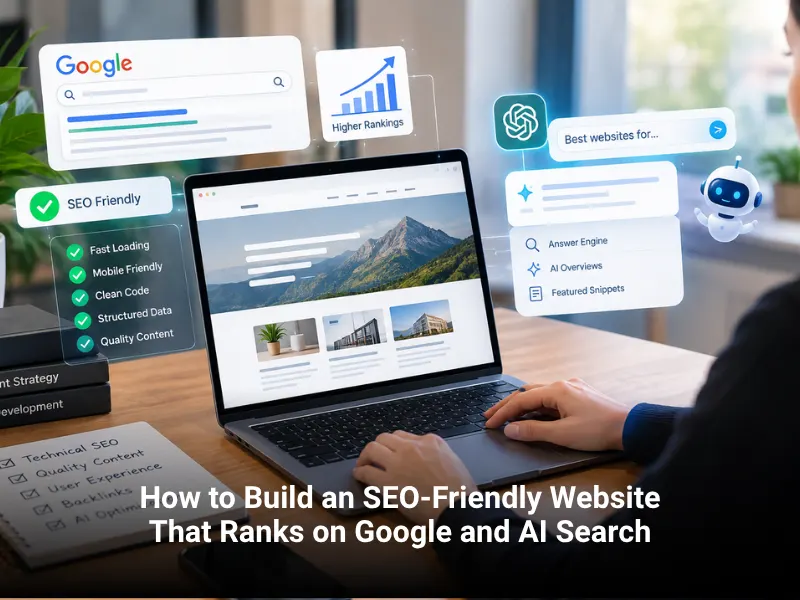

How to Build an SEO-Friendly Website That Ranks on Google and AI Search
An SEO-friendly website is a site that search engines can crawl, understand and trust, and that gives visitors a fast, clear answer to what they came for. It combines a sound technical base, a logical structure, helpful content from people who know the subject, and signals like schema markup that help Google and AI tools read each page correctly.
Search no longer ends at ten blue links. Google shows AI Overviews, ChatGPT and Perplexity cite web pages in their answers, and Gemini pulls from the open web. The good news is that the fundamentals have not changed. Pages that are easy to crawl, genuinely useful and clearly written tend to do well in all of these places.
This guide walks through how to plan, build and maintain an SEO-friendly website in 2026, in the order you would actually do the work.
What Makes a Website SEO-Friendly?
Think of it as four layers that depend on each other:
- Access: search engines can reach and index your pages.
- Experience: pages load quickly and work well on a phone.
- Content: each page answers a real question better than the alternatives.
- Trust: it is obvious who runs the site, what they know and how to reach them.
If one layer is weak, the others struggle. A beautiful design on a slow, unindexable site will not rank. A fast site with thin, generic content will not rank either. The sections below cover each layer in turn.
Start With Search Intent Before You Design Anything
Most ranking problems begin before a single page is built. The site is organised around what the business wants to say instead of what customers type into a search box.
Understand the four types of search intent
Every query falls into one of these groups, and each needs a different kind of page:
- Informational: “how to make a website load faster”. Best served by guides and explainers.
- Commercial investigation: “best web design agency in Johannesburg”. Best served by comparison pages, case studies and reviews.
- Transactional: “website design quote”. Best served by service pages with a clear next step.
- Navigational: a person searching for your brand by name. Best served by a clean homepage and contact page.
Look at the results Google already shows for your target keyword. If the top ten are all step-by-step guides, a sales page will struggle to compete. Match the format first, then do it better.
Do keyword research around topics, not single phrases
Your primary keyword, such as “SEO-friendly website,” is the anchor for a page. Around it sit related terms that real people use: website structure, site speed, mobile-friendly design, internal linking, schema markup, Core Web Vitals, on-page SEO, technical SEO and search intent. Use them where they fit the sentence. If a phrase feels forced when you read it aloud, remove it.
Tools like Google Search Console, Google Keyword Planner and the “People also ask” box show what people want to know. Our guide to reading Google Search Console reports and fixing issues explains how to find queries that already bring you impressions, which is often the quickest place to start.
Plan a Site Structure That People and Crawlers Can Follow
A clear structure helps visitors find things and helps search engines understand which pages matter most.
Keep the hierarchy shallow
A good rule is that any important page should be reachable within three clicks of the homepage. A typical service business structure looks like this:
- Homepage
- Service pages (one per main service)
- Supporting content such as guides, case studies and FAQs
- About, Contact and policy pages
Each service page is the “hub” for its topic. Supporting articles answer related questions and link back to the hub. This is what people mean by topical authority: a cluster of connected pages that cover a subject in depth, rather than one page trying to cover everything.
Use clean, descriptive URLs
Short URLs that describe the page are easier to read, share and understand. A URL like /seo-company-johannesburg/ tells a visitor and a crawler what to expect. Avoid long strings of numbers, session IDs and unnecessary parameters. Once a URL is live and ranking, change it only if you have to, and always add a 301 redirect when you do.
Build internal links with purpose
Internal links pass context and authority between your pages. Use descriptive anchor text that tells the reader where the link goes, and link only where it helps. For example, a reader learning about technical foundations might want to explore our SEO services, while someone planning a new build will want to see how website design and development projects are scoped.
Avoid stuffing links into every paragraph. A handful of relevant links per article reads naturally and works better than dozens.
Build a Technically Sound Foundation
Technical SEO is the part visitors never see, but it decides whether your content gets a fair chance.
Make the site crawlable and indexable
Search engines need to find your pages before they can rank them. Check these basics:
- Submit an XML sitemap in Google Search Console and Bing Webmaster Tools.
- Make sure your robots.txt file does not block important sections.
- Remove accidental noindex tags, especially after a redesign or launch.
- Fix broken links and redirect chains.
- Use canonical tags to point duplicate or similar pages to the preferred version.
Staging sites are a common trap. They are usually blocked from search while the site is being built, and that block sometimes goes live by mistake. If you are moving to a new design or domain, our guide to website migration SEO covers redirects, testing and launch checks in detail.
Design for mobile first
Google primarily uses the mobile version of a page for indexing and ranking. That means the mobile experience is your real site. Use a responsive layout, keep text readable without zooming, make buttons easy to tap and avoid pop-ups that cover content. Test your key pages on an actual phone, not only in a desktop browser’s preview mode.
Pass Core Web Vitals
Core Web Vitals measure how a page feels to use. There are three:
- Largest Contentful Paint (LCP): how quickly the main content loads. Aim for under 2.5 seconds.
- Interaction to Next Paint (INP): how quickly the page responds when someone taps or clicks. Aim for under 200 milliseconds.
- Cumulative Layout Shift (CLS): how much the layout jumps while loading. Aim for under 0.1.
The usual fixes are not glamorous but they work: compress and properly size images, use modern formats such as WebP, remove unused scripts and plugins, enable caching, and use decent hosting. Page speed is a ranking input, but it is also a conversion input. People leave slow sites.
Secure the site with HTTPS
HTTPS is a baseline expectation. Install an SSL certificate, redirect all HTTP URLs to HTTPS, and fix mixed-content warnings where images or scripts still load over HTTP. Keep your CMS, themes and plugins updated, since outdated software is a common way sites get compromised.
Choose a platform that does not fight you
WordPress, Shopify and WooCommerce can all produce SEO-friendly websites when set up properly. The platform matters less than the choices made on it: clean templates, a limited number of plugins, editable titles and meta descriptions, and control over URLs and redirects. Heavy page builders and bloated themes are the most common reason a good-looking site loads slowly.
Write Content That Meets Google’s Helpful Content Standards
Google’s guidance is consistent: create content for people first, not to manipulate rankings. In practice that means every page should have a clear purpose and leave the reader better informed than before.
Show real experience and expertise (E-E-A-T)
E-E-A-T stands for Experience, Expertise, Authoritativeness and Trustworthiness. It is not a score you can check, but it describes what quality evaluators look for. You can show it in plain ways:
- Put a real author name and short bio on articles.
- Share first-hand detail: what you did, what you saw, what went wrong.
- Include case studies, project examples and client feedback.
- Publish a clear About page, address, phone number and Contact page.
- Cite reliable sources and keep facts current.
Here is a concrete example. At Best Web Design, we have seen that a lead generation website usually takes four to six weeks from start to launch when copywriting, photography, design and development are included, while an e-commerce build can take three to six months depending on the number of products and features. Details like that, drawn from real project work, are what separate a useful page from a generic one.
Build topical authority and entity coverage
Search engines and AI tools understand the web through entities: people, places, organisations, tools and concepts, and how they relate. To be treated as a reliable source on a subject, cover it with real depth and connect the pieces.
For this topic, related entities include Google Search Console, Core Web Vitals, XML sitemaps, schema markup, canonical tags, robots.txt, mobile-first indexing, internal linking, backlinks and Google Business Profile. You do not need to stuff these terms in. You need to explain each one where it naturally belongs, and link between your pages on those subtopics.
Write for meaning, not for keyword counts
Semantic SEO means writing in a way that makes the topic clear to both people and language models. A few habits help:
- Answer the question in the first one or two sentences under a heading, then expand.
- Use the words people use, including natural variations and synonyms.
- Define technical terms the first time you use them.
- Keep paragraphs short and give each section one job.
- Use specific numbers, steps and examples instead of vague claims.
If you read a paragraph back and it sounds like it was written for a robot, rewrite it.
Get the On-Page Basics Right
Small details still carry weight, especially because they affect how your page appears in results.
- Title tag: include the primary keyword near the start, keep it under about 60 characters, and make it read like something worth clicking.
- Meta description: around 150 to 160 characters, a plain summary of what the page offers. It does not directly affect rankings, but a good one improves clicks.
- One H1 per page: it should match the page topic. Use H2 and H3 headings in a logical order beneath it.
- Image alt text: describe the image for people using screen readers. This also helps image search.
- Descriptive link text: avoid “click here” and use words that say where the link leads.
Use Structured Data to Remove Guesswork
Schema markup is code that labels the content on a page so machines can read it without guessing. Common types for business sites include Organization, LocalBusiness, Article, FAQPage, Product, Service and BreadcrumbList.
Two rules keep you safe. First, only markup content that is visible on the page. Second, test your markup with Google’s Rich Results Test before publishing. Schema does not guarantee rich results, and it is not a ranking shortcut, but it gives search engines and AI tools a cleaner picture of who you are and what each page covers.
Optimise for AI Overviews, ChatGPT, Gemini and Perplexity
AI search tools do not use a separate secret rulebook. They retrieve and summarise pages that are accessible, clear and trustworthy. Google has said that the same SEO fundamentals apply to its AI features. Still, a few practices make your pages easier to quote.
Lead with the answer
Put a direct, self-contained answer right under the heading, then add detail. A reader, and an AI system pulling a passage, should be able to understand the answer without reading the whole page. Question-style H2 and H3 headings such as “What is Core Web Vitals?” or “How long does SEO take?” map neatly to how people ask AI tools for help.
Make content easy to extract
Use short paragraphs, numbered steps for processes, bullet lists for options and simple tables for comparisons. Define terms in one clear sentence. Keep each section focused so a passage still makes sense when it is lifted out of context.
Let the right crawlers in
Check your robots.txt file. If you block search and AI crawlers entirely, your pages cannot be cited. Know the difference between crawlers that fetch pages to answer a live question and those that collect training data, and decide what you want to allow. Also set up Bing Webmaster Tools, since several AI products rely partly on Bing’s index.
Build recognition beyond your own site
AI tools favour sources that appear trustworthy across the web. Keep your business details consistent on your website, Google Business Profile, social profiles and directories. Earn mentions through genuine work: case studies, original data, helpful guides and honest reviews. A clear brand with a real footprint is easier for any system to recommend.
Track what is happening
Google counts clicks and impressions from AI features in Search within the Web search data in Search Console, though they are not shown separately. Watch for question-style queries and pages where impressions rise but clicks do not. Those are good candidates for a stronger opening answer and a clearer title.
Do Not Forget Local Search
If you serve customers in a specific area, local signals matter. Claim and complete your Google Business Profile, keep your name, address and phone number identical everywhere, and collect genuine reviews. If you cover several suburbs or cities, create service area pages only where you have real work and real proof. Our guide to service area pages for Johannesburg suburbs shows how to do this without producing thin or duplicate pages.
Industry-specific sites benefit from this too. A property business, for example, needs suburb-level content and quick contact options, which we cover in our post on web design for real estate agents in Johannesburg.
Stay Within Google’s Spam Policies
Shortcuts can cost you rankings or get pages removed from results. Avoid these:
- Keyword stuffing: repeating a phrase to force a ranking.
- Scaled low-value content: mass-producing pages, with or without AI, mainly to capture searches.
- Doorway pages: near-identical pages for different locations that only funnel visitors to one place.
- Link schemes: buying links or swapping them at scale.
- Hidden text or links: content shown to search engines but not to people.
- Cloaking: showing crawlers something different from what visitors see.
- Hacked or injected content: spam links added to your site by an attacker.
The last one is easy to miss. Review your pages and footer regularly to confirm every link is one you added. AI-assisted writing is fine when the result is accurate, original and useful, and when a person has checked it. Publishing unedited, generic text at volume is not.
Design for Conversion, Not Just Traffic
Rankings only matter if visitors take action. A site can be perfectly optimised and still earn nothing if people cannot tell what to do next.
- Put a clear primary call to action above the fold on key pages.
- Match each page’s call to action to its intent: a guide might offer a checklist, a service page should offer a quote or consultation.
- Keep forms short. Ask only for what you need.
- Show trust signals near the action: reviews, project examples, contact details and clear pricing guidance where possible.
- Make phone, email and WhatsApp options easy to find on mobile.
Our lead generation websites are built around exactly this idea: every page has one job and one clear next step. If you sell products, the same applies to category pages, product pages and checkout, which is where e-commerce website design decisions have the biggest effect on revenue.
Measure, Maintain and Improve
An SEO-friendly website is never finished. Search results change, competitors publish, and plugins age.
- Measure: use Google Search Console for visibility and Google Analytics for behaviour, and track enquiries or sales as conversions, not just visits. Our data metrics service helps connect the two.
- Review monthly: look for pages ranking on page two, pages with many impressions and few clicks, and new indexing errors.
- Refresh content: update statistics, screenshots and steps on your best pages instead of letting them go stale.
- Maintain the site: keep software updated, monitor uptime, fix broken links and take regular backups. Ongoing website maintenance protects both rankings and security.
Give SEO time. It usually takes several months to see steady gains, and the timeline depends on competition, site history and how much needs fixing.
Ready to Build a Website That Ranks and Converts?
Building an SEO-friendly website takes planning, technical care and content that helps real people. When those pieces work together, you get a site that earns visibility on Google, appears in AI answers and turns visitors into enquiries.
The team at Best Web Design builds and optimises websites for South African businesses, from structure and speed to content and measurement. If you want a clear plan for your own site, contact our team and tell us what you are trying to achieve. You can also speak with our experts about an SEO audit, a redesign or a new build, and we will recommend the next step that makes sense for your goals and budget.