
Service Area Pages: How to Rank Across Johannesburg Suburbs
October 12, 2026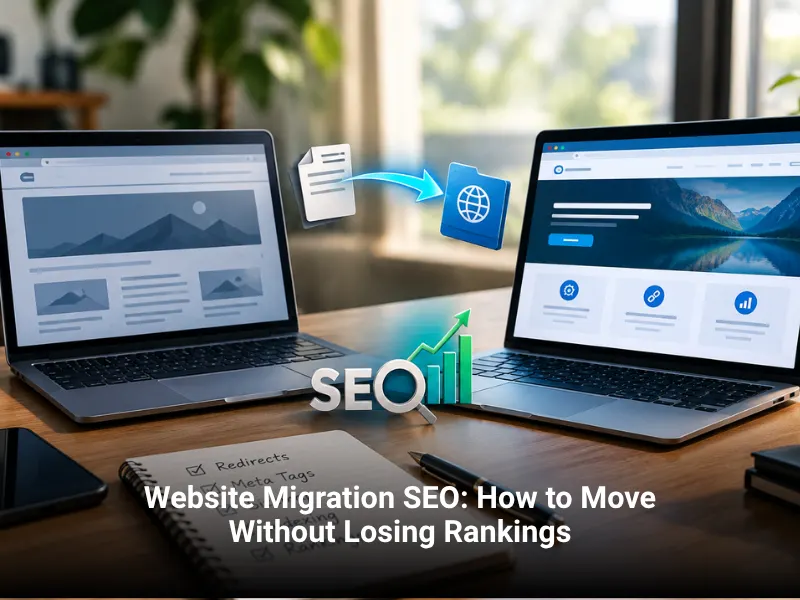

Website Migration SEO: How to Move Without Losing Rankings
Website migration SEO protects your rankings when you change domain, platform, design, or URLs. Map every old URL to a new one with 301 redirects, keep content and metadata intact, test on a staging site, submit the new sitemap, and watch Search Console for several weeks after launch. This guide gives you a step-by-step plan you can follow, whether you are moving platforms, changing a .co.za domain, or rebuilding your site.
What Is a Website Migration?
A website migration is any major change that affects how search engines find, read, or rank your site. Some migrations are obvious, such as moving to a new domain. Others are easy to underestimate, such as changing your URL structure during a redesign.
Common types include:
- Domain change. Moving from one domain to another, for example from a .com to a .co.za.
- Platform change. Moving from one CMS to another, such as Wix to WordPress.
- Protocol change. Moving from http to https.
- URL structure change. New folders, new slugs, or removed pages.
- Redesign. New layouts, templates, navigation, and content.
- Hosting change. Moving servers, which can change speed and uptime.
If you are still deciding whether to rebuild, read our guide on website redesign vs a new website first. This article focuses on how to carry out the move safely.
When Do Migrations Put Rankings at Risk?
Rankings drop when search engines cannot connect the old site to the new one. The usual causes are missing redirects, changed or deleted content, broken internal links, accidental noindex tags, and blocked crawling.
Expect some movement after any migration, even a well-run one. Google needs time to recrawl and process changes. The goal is to keep the dip small and short.
What Should You Do Before the Migration?
Preparation decides how smoothly the move goes.
Crawl and benchmark your current site
Use a crawler such as Screaming Frog to record every URL, title, heading, meta description, status code, and internal link. Export data from Google Search Console and analytics for your top pages, queries, and conversions. This is your baseline for comparing performance after launch.
List your most valuable pages
Identify pages that bring traffic, leads, and backlinks. These need the most care. Check backlinks using Search Console's Links report or a backlink tool. Pages with strong links must be redirected correctly.
Take backups
Back up files and the database. Keep the backup until you are sure the new site works.
Build and test on a staging site
A staging site is a private copy of the new site where you can test without affecting live visitors. Block it from search engines while testing, using password protection or a noindex tag. Remember to remove the block at launch. Forgetting this is one of the most common causes of ranking loss.
How Do You Do URL Mapping and 301 Redirects?
URL mapping is a spreadsheet that pairs every old URL with its new destination. It is the heart of the project.
A 301 redirect tells browsers and search engines that a page has moved permanently. It passes most ranking signals to the new address. Use 301, not 302, for permanent moves.
Map each URL to the closest match
Send each old page to the most relevant new page. Do not redirect everything to the homepage. Google may treat that as a soft 404 and ignore the redirect.
Avoid redirect chains
A chain happens when URL A redirects to B and B redirects to C. Point A straight to C. Chains slow pages and can waste crawl effort. This includes http to https and www to non-www redirects, so make them a single hop.
What to do with removed pages
If a page has no equivalent, let it return a 404 or 410 status, or redirect it to a closely related category. Keep redirects in place for at least a year, and longer for pages with strong backlinks.
How Do You Keep On-Page SEO Intact?
A migration is not the time to rewrite everything. Keep what works.
- Titles and meta descriptions. Carry them over unless you have a clear reason to change them.
- Headings and body content. Keep the main text of your top pages the same. Improve later, once rankings are stable.
- Internal links. Update links to point directly to new URLs instead of relying on redirects.
- Structured data. Move your schema markup across. If you use schema markup, test it with Google's Rich Results Test.
- Images. Keep file names and alt text. Missing images can drop your image search traffic.
- Canonical tags. Make sure canonicals point to the new URLs and not the staging address.
Page speed matters here too. A new design that loads slowly can undo the gains of a clean move. Check Core Web Vitals on staging before launch.
Domain Change vs Platform Change: What Is Different?
Changing your domain
A domain change carries the most risk. After redirects are live, use the Change of Address tool in Google Search Console. It tells Google that your site has moved. It works for domain-level moves, so verify both the old and new domain properties first. Update your Google Business Profile, email signatures, social profiles, and directory listings. Keep the old domain active and redirecting for as long as possible.
Changing your platform
If the domain stays the same but the platform changes, URL structure is the main risk. Many platforms add or remove folders such as /blog/ or add trailing slashes. Match the old structure where you can. Where you cannot, redirect carefully.
Moving to HTTPS
Install your SSL certificate, redirect all http pages to https, update canonicals, sitemaps, and internal links, and add the https property to Search Console.
What Should You Do on Launch Day?
Work through this list in order:
- Remove the no-index tag or password protection from the new site.
- Check robots.txt does not block important sections.
- Switch DNS or deploy the new site.
- Test your redirects, starting with top pages.
- Submit the new XML sitemap in Search Console.
- Use URL Inspection on key pages to confirm Google can see them.
- Check forms, tracking, and checkout still work.
- Confirm analytics and conversion tracking fire correctly.
Launch at a quieter time of the week so you can fix problems before peak traffic.
How Do You Monitor After the Migration?
The first 24 hours
Watch for server errors, broken pages, and missing redirects. Check Search Console's Pages report for sudden spikes in 404s or exclusions. Make sure the site is not accidentally blocked.
Weeks one to four
Compare clicks, impressions, and rankings with your baseline. Recrawl the site and look for redirect chains or broken links. Expect small fluctuations. A steady decline after week two signals a problem to investigate. Our guide to reading Google Search Console reports shows where to look.
Also keep an eye on security after a move. New installs and changed credentials are a common moment for weaknesses, so review your website security setup.
Plan Your Move With Confidence
A migration done properly protects the traffic you have worked to earn. Book a consultation and our team will review your site, build your URL map, and manage the move. Explore our SEO services and web design and development for support.